
What's the difference between chat, agents and MCP
Three words that show up together in every AI post and almost never get explained. This is the simplest way I can explain them, with the connectors I use every day.
"Should I use the chat or an agent?" and "Do I need to install an MCP?" are questions that come up a lot, and I think the confusion comes from treating the three as competing things. In practice one sits inside the other. An agent is a chat that can take action, and MCP is how the agent reaches your tools.
Chat
Chat is the conversation. You write, the model answers, and you read it and decide what to do with the answer.
I think it's great for thinking. I use it to get unstuck on a piece of writing, understand a concept or compare two approaches before I write code, but the work after that is still on me. I copy, paste, test and go back to ask again.
Agents
An agent gets a goal and works on it until it's done. It reads files, runs commands, sees the error, fixes it and runs it again. You don't follow every step, you review the result.
At work my agent is Claude Code. When I ask it to "fix the header and check it on mobile," it opens the project files, edits them, starts the local server and looks at the page. What I get back is the change already made and tested, and then I approve it or not.
That's the difference I feel day to day. With the chat I still have to do the work from the answer, and with the agent the work comes back done.
MCP
An agent that only sees the files on your computer is limited. It can't read your email, open your spreadsheet or use your browser.
MCP (Model Context Protocol) is what fixes that. It's an open standard that Anthropic released in November 2024 for connecting AI apps to outside systems. The official docs compare it to a USB-C port, in other words, one plug, and any tool that speaks the standard can connect to it.
Each tool becomes an "MCP server." The agent connects to it and gets new actions, like finding a thread in Gmail, reading a file from Drive or generating an image.
The connectors I use
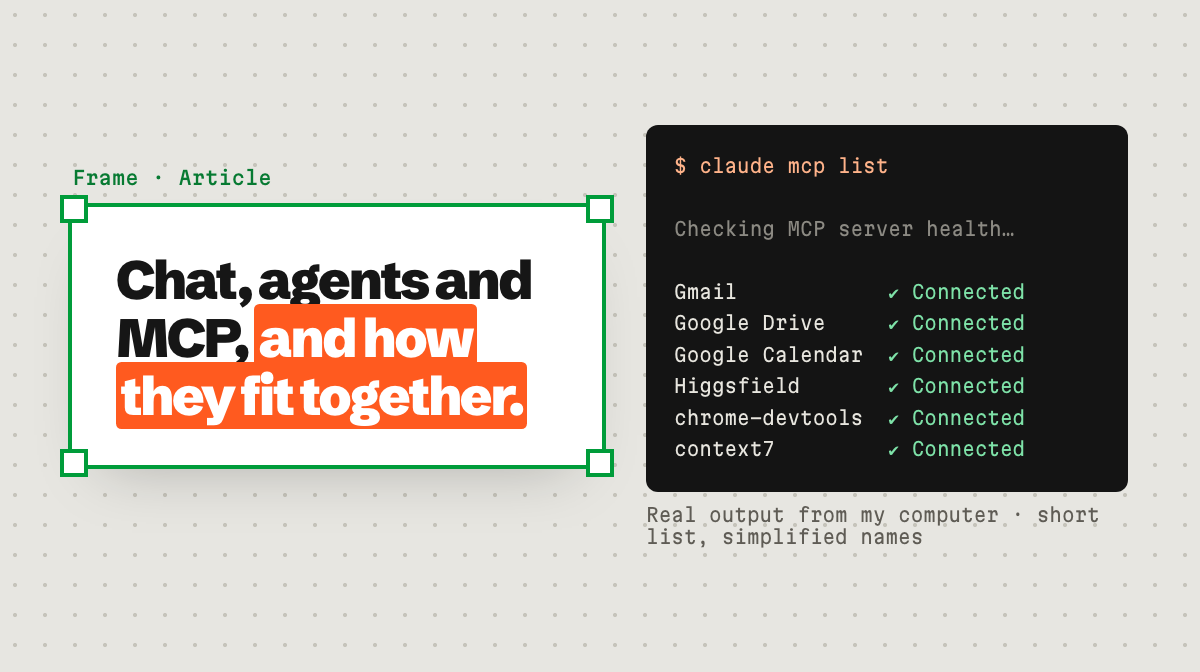
These are some of the ones enabled on my computer right now, and what each one does in my day:
- Gmail: find an old thread without leaving the terminal.
- Google Drive: read and update a spreadsheet without opening the browser.
- Higgsfield: generate images straight from the agent. That's where the art for the automated posts I'm testing comes from.
- Chrome DevTools: the agent opens the site, reads the console, measures performance and tells me what broke.
- Context7: up-to-date library docs, so the agent doesn't write code based on an old version.
I also use the Claude extension for Chrome, which lets the agent browse in a tab of my browser. It's not on the list because it's an extension and not a server, but it does the same job, which is giving the agent access to a place it couldn't reach before.
If you're just starting, I'd start with the chat and get a feel for what the model does well. When you catch yourself copying and pasting the same thing over and over, that's when an agent makes sense, and when the agent needs something that lives in another system, that's when MCP makes sense. And another thing, every connector gives the agent access to one more place, so I only turn on what I use and give the agent the least access the task needs.