
From graphic design to front-end, without giving up either one
I have a degree in advertising and today I write front-end code. What a designer's eye gives someone who codes, and what changes when the screen stops being the deliverable.
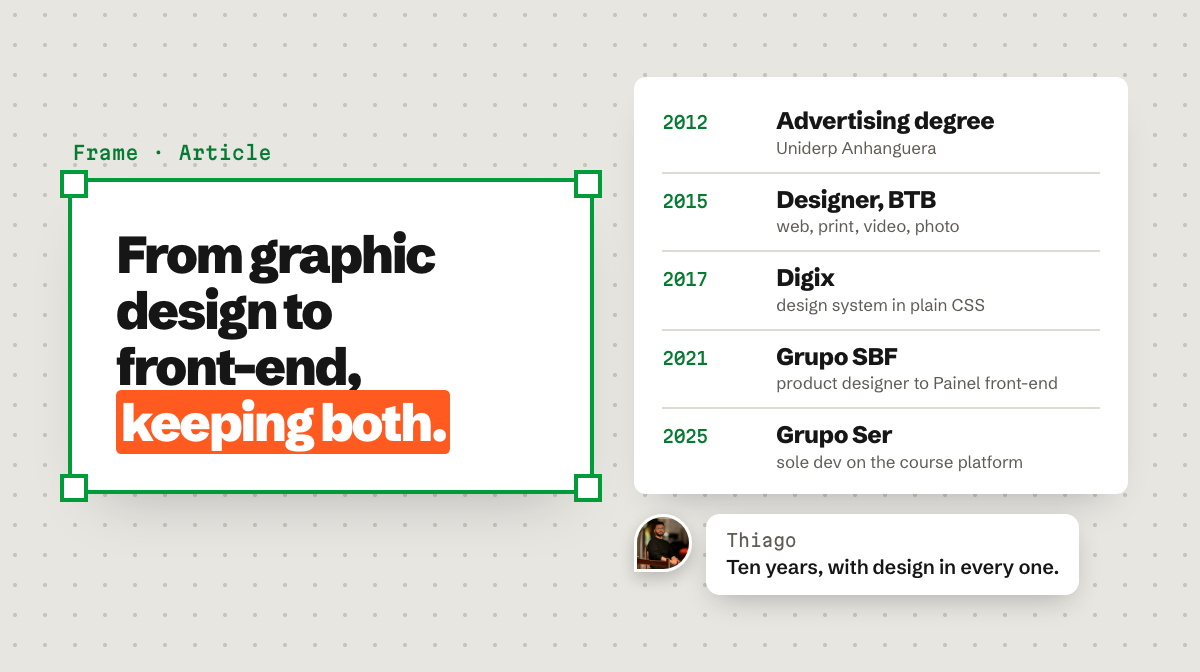
I have a degree in advertising, and my first job was at an agency called BTB, where I did websites, print, video, photography and art direction for campaigns. Today I write front-end code in Next.js and TypeScript for product companies.
If you look at my resume from far away, it looks like I changed careers. I don't think I ever left design, I just changed where it happens. That's why I think people in the middle of this switch shouldn't hide design on their resume, because it's what sets you apart from people who only code.
How I got here
- Advertising degree, 2012 to 2015. Layout, typography, campaigns and the basics of how people read a piece.
- BTB, 2015 to 2017. An agency, so websites, print, video and photos, all at once and on agency deadlines.
- Digix, 2017 to 2021. Product design and front-end for a government system called PapelZero. That's where design started turning into code.
- Grupo SBF, 2021 to 2025. I joined as a Senior Product Designer on the shipping and inventory products, and I left as a front-end engineer leading the front-end of Painel SBF.
Since September 2025 I've been the only developer on Grupo Ser's course platform. In other words, that's ten years of work since 2015, and design was part of every one of them.
The Digix design system
At Digix, the products used different frameworks: React, Angular, Aurelia, Knockout, Vue and others in Java and C#. If we had built the design system as a component library for one framework, only one team could have used it.
So we built it in plain HTML, CSS and JavaScript, with CSS variables any product could use. This was before "tokens" were a common word, and every team adopted it. It was a design decision, but it got made in CSS and not in Figma.
If you're making this switch, I think it's worth taking a design decision all the way into code at least once, like a component, a color variable or a spacing rule that someone else is going to use.
What a designer's eye gives someone who codes
The first thing is seeing what's wrong before you can explain it: spacing that's off, a hierarchy that doesn't guide the reader, two shades of gray that almost blend together. If you've trained your eye for years, you notice it before the tests do.
The second is thinking about the person who uses the screen, and not only the person who asked for it. At Grupo SBF I did research and flows for marketplace products, and when I moved to code I kept asking the same questions: who's going to open this screen, why, and how much of a hurry are they in.
And another thing, treating consistency as a system. On a one-off piece everyone does it their own way, but a product with several teams needs written rules, and those rules only count if they're in the code.
That same eye also helps you read what the machine gives back, whether it's the browser, a test or AI, and I think it's worth learning to use it that way.
When the screen stops being the deliverable
In design, the finished screen is the end of the work, and in front-end it's the start. After it comes the empty state, the error, the loading state, the small phone, the permission that hides half the buttons and the data that shows up different from the prototype.
In other words, design becomes the whole behavior of the screen, and the person who designed it can make sure what goes live is what was planned. When you design and code, you carry the idea from start to finish without someone translating in the middle, and that's the work I want to do today.