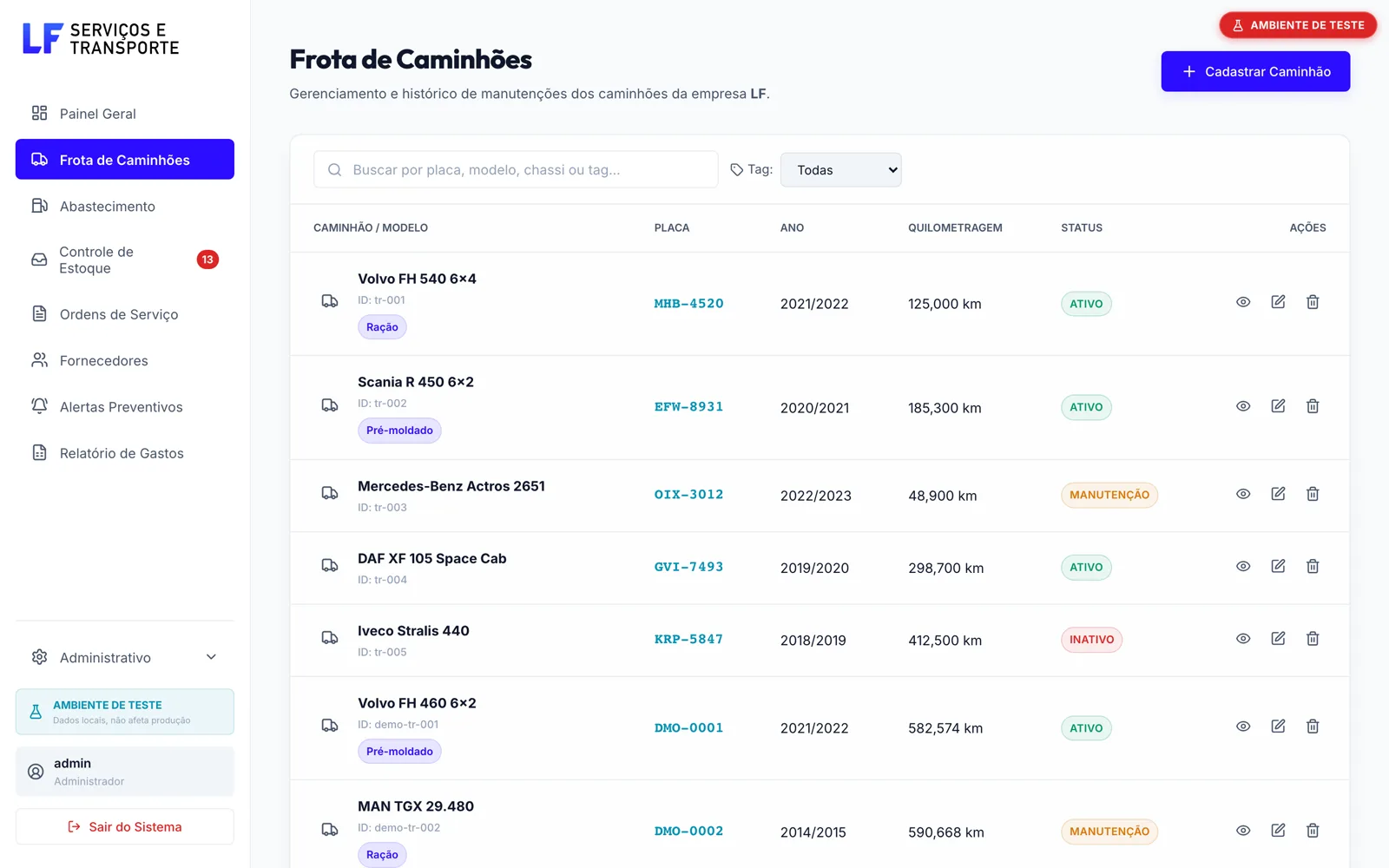
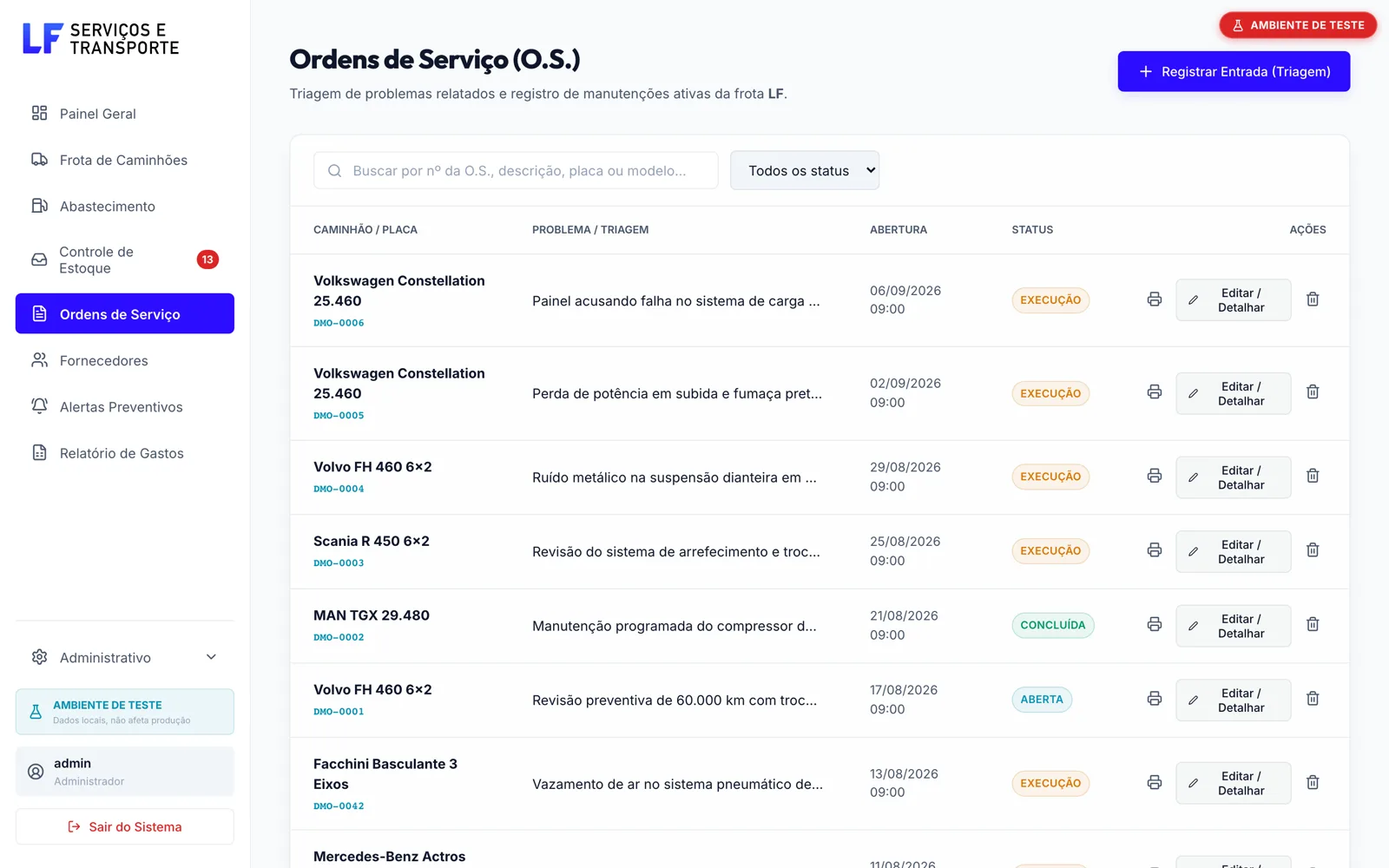
Since August 2026 I've been designing and building the system LF Serviços e Transporte uses to run its trucks. It covers maintenance, parts, fuel and alerts, from the moment a truck comes in to the printed work order.
Role
Design and code, on my own. 111 of the 145 commits are mine and the rest come from release bots
Period
Aug 2026 to now · 32 releases
In use
39 trucks, 230 fuel logs so far
Platforms
Web, Windows and macOS (Tauri 2), Android and iOS (Capacitor 8)
LF maintains its own trucks. A truck comes in with a problem and someone writes down the symptoms, then parts come out of a stock that was bought in batches at different prices, and preventive work comes due by kilometer or by date. The office needs to know what each truck costs, and the people in the shop need all of this to work on a phone.
This is the staging build running on demo data. I left the money figures out of this page.Frame · My role
My roleWhat I did
I designed the interface and wrote the code, with React on the front end and Supabase for auth, Postgres, storage and six edge functions.
The database has 19 tables built from 34 append-only migrations, and CI applies them on every push to main.
There are 34 Playwright specs and 29 Vitest files, including integration tests against the database layer.
semantic-release cuts each release, and GitHub Actions builds the installers for every platform.
Frame · Decision · platforms
DecisionOne codebase for every platform
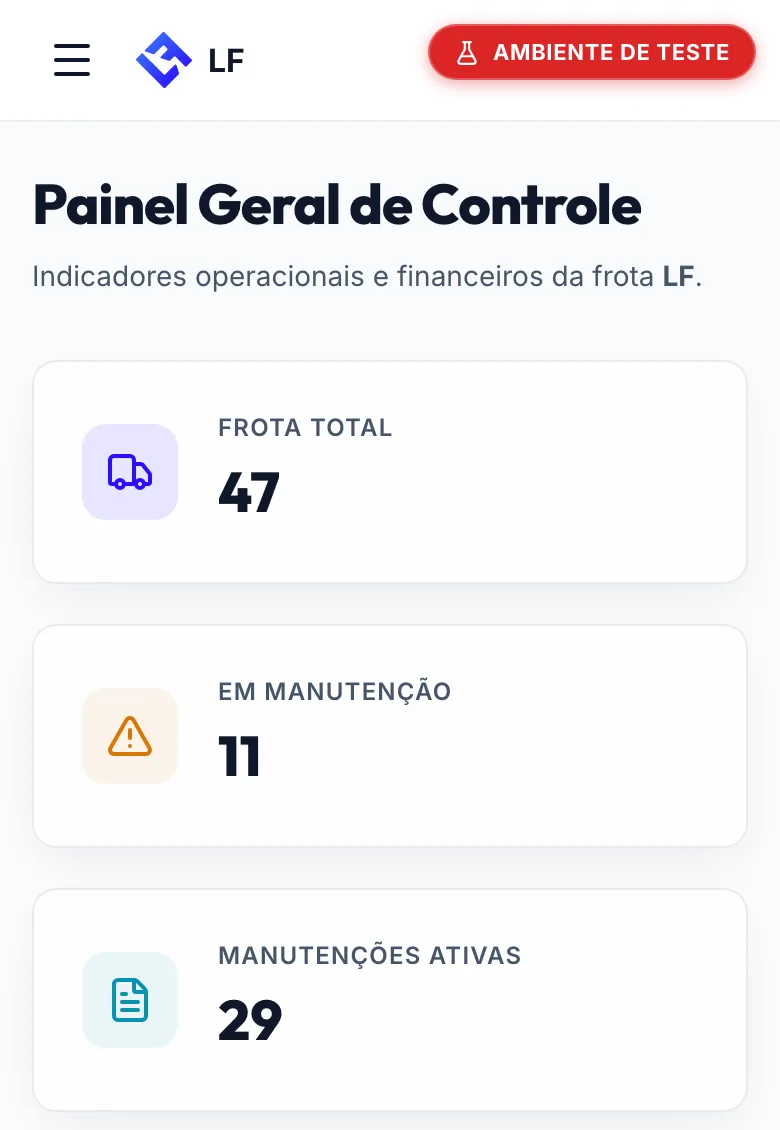
The office works on a desktop and the shop works on a phone. So instead of three apps, I have one React codebase that goes to the web, to Windows and macOS through Tauri, and to Android and iOS through Capacitor. On a small screen the tables turn into cards.
Frame · Decision · demo
DecisionKeeping the demo away from real data
Every new version goes to a public staging site first, and that's where I test it. Staging always runs on a mock database in the browser, seeded with dozens of trucks, parts and work orders, and every screen shows a test badge. I think the other direction matters even more. If a production build has no credentials, it stops on an error screen, because otherwise it would quietly save the fleet's data in one browser.
// Simplified from the project. Comments translated.// The public demo always runs on a local mock database,// even if the build carries real Supabase credentials.exportconst isTestEnvironment =
import.meta.env.VITE_APP_ENV === 'staging' ||
window.location.hostname === 'staging.lftransporte.net';
exportconst isSupabaseConfigured =
!isTestEnvironment && !!(supabaseUrl && supabaseAnonKey);
// A production build without credentials must block,// never fall back to the mock: that would keep real fleet// data in one browser, with no sync and no backup.exportconst isMisconfiguredProduction =
import.meta.env.PROD && !isTestEnvironment && !isSupabaseConfigured;
Comment from Thiago
Thiago · whyFalling back to the mock is handy in development, but in production it would lose a fleet's history and nobody would notice.
Frame · Decision · stock
DecisionParts leave stock oldest batch first
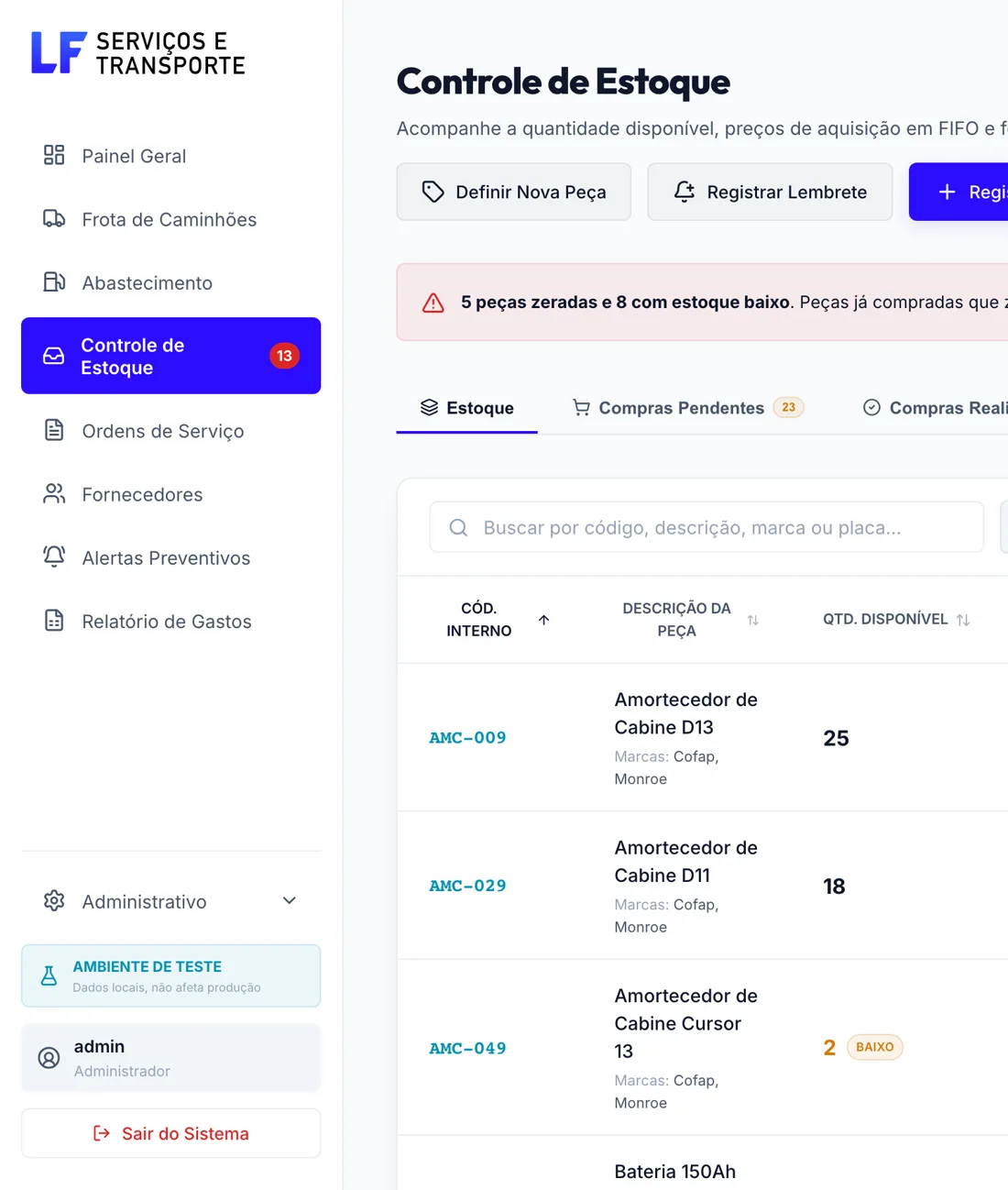
LF buys the same part many times, at different prices. A work order uses the oldest batches first, so the cost of a repair is what those parts actually cost, and if a batch had a discount, that discount goes into the order too. When there isn't enough stock for an order, the order opens a pending purchase and keeps going.
// Simplified from the project.exportconst consumeFIFO = (batches: StockBatch[], partId: string, qty: number) => {
const open = batches
.filter((b) => b.part_id === partId && b.quantity_available > 0)
.sort(oldestFirst);
const available = open.reduce((sum, b) => sum + b.quantity_available, 0);
if (available < qty) throw new Error(`Not enough stock: ${available} of ${qty}`);
let left = qty;
return open.flatMap((batch) => {
if (left <= 0) return [];
const take = Math.min(left, batch.quantity_available);
left -= take;
// The work order is charged what this batch really cost.return [{ batch: batch.id, quantity: take, unit_price: batch.unit_price }];
});
};
Frame · Decision · axles and tires
DecisionSetting up axles and tires on a diagram
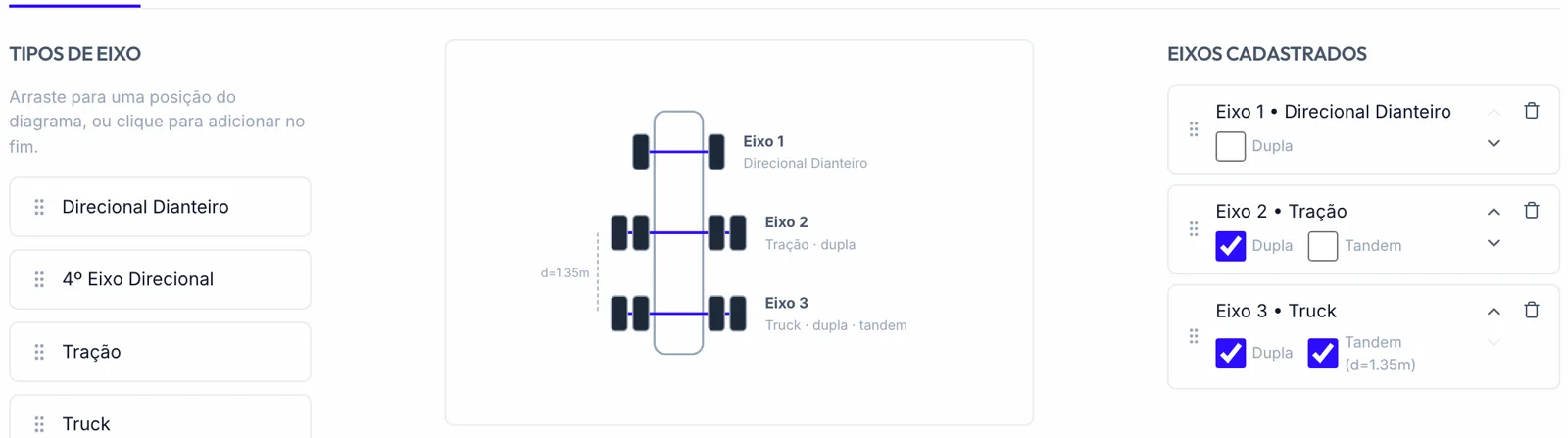
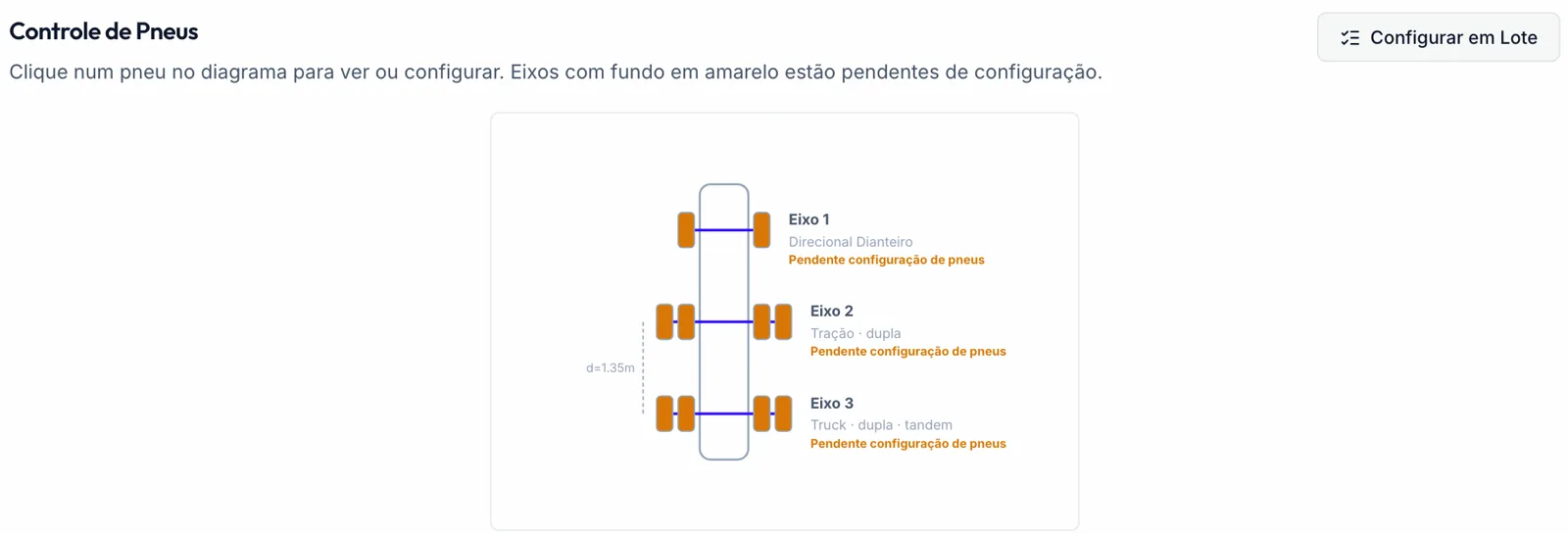
Tires are tracked by position, and axles vary from truck to truck, with steering, drive, tandem and dual wheels. So the truck page draws the chassis. You drag axle types into the diagram and set each tire by clicking its wheel, and on duals you set the inner and the outer one. Wheels that still don't have a tire show in orange, and kilometers add up per axle until the tire-life alert goes off.
Frame · Details
DetailsSmaller things I took care of
A truck can't go into the shop until someone records the symptoms, and the work order prints as a sheet for the mechanic.
Each truck has preventive rules by kilometer or by date, counted from the last time that service was done.
There's a daily backup to Google Drive, and a restore script that loads it into any Postgres in one transaction and checks the row counts.
I write the release notes by hand for the people who use the system. The changelog stays in the repo, because "currency masking for fuel logs" means nothing to someone who runs trucks.
Search matches the start of each word, so typing "fil ol" finds "Filtro de Óleo".
Frame · Numbers
NumbersWhere it is after nine weeks
32releases since Aug 13, 2026
19tables, 34 migrations
63test files, E2E and unit
// Simplified from the project. Comments translated.
// The public demo always runs on a local mock database,
// even if the build carries real Supabase credentials.
export const isTestEnvironment =
  import.meta.env.VITE_APP_ENV === 'staging' ||
  window.location.hostname === 'staging.lftransporte.net';

export const isSupabaseConfigured =
  !isTestEnvironment && !!(supabaseUrl && supabaseAnonKey);

// A production build without credentials must block,
// never fall back to the mock: that would keep real fleet
// data in one browser, with no sync and no backup.
export const isMisconfiguredProduction =
  import.meta.env.PROD && !isTestEnvironment && !isSupabaseConfigured;
// Simplified from the project.
export const consumeFIFO = (batches: StockBatch[], partId: string, qty: number) => {
  const open = batches
    .filter((b) => b.part_id === partId && b.quantity_available > 0)
    .sort(oldestFirst);

  const available = open.reduce((sum, b) => sum + b.quantity_available, 0);
  if (available < qty) throw new Error(`Not enough stock: ${available} of ${qty}`);

  let left = qty;
  return open.flatMap((batch) => {
    if (left <= 0) return [];
    const take = Math.min(left, batch.quantity_available);
    left -= take;
    // The work order is charged what this batch really cost.
    return [{ batch: batch.id, quantity: take, unit_price: batch.unit_price }];
  });
};